Introduction
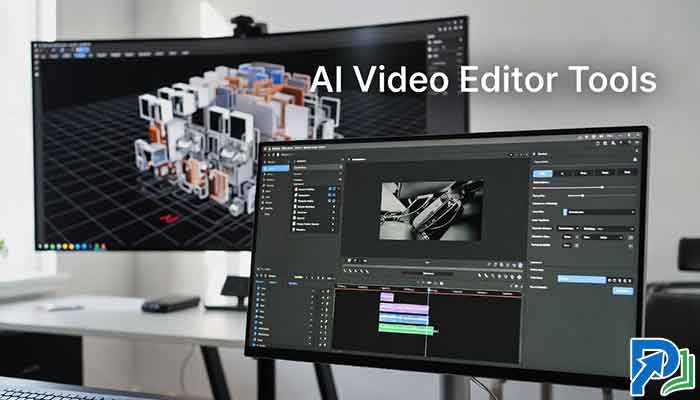
The AI video editor has evolved from a basic cut-and-trim assistant into a full creative engine capable of generating entire scenes from a text prompt. In 2026, creators, marketers, and filmmakers no longer need expensive production crews to bring ideas to life. Whether you’re building a YouTube channel from scratch or scaling automated video production for a brand, today’s generative video AI tools can handle the heavy lifting — writing, visualizing, and rendering entire video sequences in minutes.
This guide covers the best AI video editors with full scene generation, what separates the leaders from the pack, and which tool fits your workflow.
Table of Contents
What Is Full Scene Generation in an AI Video Editor?
Full scene generation means an AI can take a text description — or a simple idea — and produce a fully rendered video scene, complete with visuals, motion, lighting, and sometimes even AI-generated voiceover. It goes far beyond basic stock footage remixing.
Modern generative video AI tools can:
- Convert text scripts directly into video (AI text-to-movie)
- Generate characters, environments, and camera movement from prompts
- Apply advanced AI video upscaling to boost resolution on existing footage
- Automate editing timelines based on content type and platform
This represents a fundamental shift in automated video production 2026 — one that’s reshaping how independent creators and enterprise teams operate.
How We Evaluated These Tools
Every tool in this list was assessed across five criteria:
- Scene generation quality — Can it produce coherent, usable footage from prompts?
- Editing workflow integration — How well does it blend AI and manual control?
- Output resolution and upscaling — Does it support 4K or advanced AI video upscaling?
- Ease of use — Is the interface accessible for non-technical creators?
- Pricing and value — Is it competitive for solo creators and teams?
The Best AI Video Editors With Full Scene Generation in 2026
1. Runway Gen-3 Alpha
Runway remains one of the most capable platforms for AI film-making for YouTube and professional productions alike. Gen-3 Alpha introduced a massive leap in temporal consistency — meaning characters and scenes remain coherent across longer clips.
Key Features:
- Text-to-video generation up to 16 seconds per clip
- Motion Brush for directing movement within a scene
- AI video upscaling integrated into the export pipeline
- Green screen removal, object inpainting, and style transfer
- Multi-scene project timeline (Editor mode)
Best For: Filmmakers, music video creators, brand studios
Pricing: Starts at $15/month (Standard); Pro plans at $35/month
Pros:
- Industry-leading visual quality
- Strong community and template library
- Frequent model updates
Cons:
- 16-second clip limit requires stitching for longer scenes
- Can be compute-intensive; queues occur on lower-tier plans
2. Sora (OpenAI)
OpenAI’s Sora became publicly available in late 2024 and by 2026 has matured into one of the most talked-about generative video AI platforms. It generates hyper-realistic scenes from detailed text prompts with impressive physical accuracy.
Key Features:
- Up to 60-second video generation from text
- Scene extension and video-to-video transformation
- Strong understanding of spatial physics (object motion, lighting interaction)
- Integrated with ChatGPT for prompt refinement
Best For: Creatives who prioritize realism and storytelling depth
Pricing: Included in ChatGPT Pro ($200/month); standalone access varies
Pros:
- Best-in-class realism for AI text-to-movie use cases
- Seamless prompt refinement via ChatGPT integration
- Long-form clip generation with scene coherence
Cons:
- Limited manual editing tools compared to dedicated editors
- High price point for solo creators
Read More: AI Agents Transforming Personal Productivity in 2026
3. Kling AI (Kuaishou)
Kling AI emerged from Chinese tech giant Kuaishou and rapidly became a global competitor. Its motion quality — especially for human subjects — is notably smooth, making it a strong choice for AI film-making for YouTube content.
Key Features:
- Text-to-video and image-to-video modes
- Up to 2-minute video generation per clip
- Cinematic camera control (pan, zoom, dolly)
- High frame-rate output for smooth playback
Best For: Creators focused on character-driven or cinematic content
Pricing: Free tier available; Pro plans from $8/month
Pros:
- Exceptional human motion rendering
- Competitive pricing with a free tier
- Longer clip generation than most competitors
Cons:
- Occasional inconsistency in scene backgrounds
- Fewer advanced editing tools post-generation
4. Pika Labs 2.0
Pika Labs is purpose-built for speed and accessibility. It’s the go-to AI video editor for creators who need to move fast without sacrificing visual quality. Pika 2.0 introduced “Pikaffects” — prompt-driven scene transformations that change environment, weather, and even narrative context in real-time.
Key Features:
- One-click scene transformation via Pikaffects
- Text, image, and video-to-video generation
- Automated video production 2026 workflows with bulk generation
- Aspect ratio control for every major platform (YouTube, TikTok, Reels)
Best For: Social media creators, marketers, small business owners
Pricing: Free tier; Standard at $8/month; Pro at $28/month
Pros:
- Very fast generation (under 30 seconds for short clips)
- Excellent platform-specific formatting
- Beginner-friendly interface
Cons:
- Less photorealistic than Runway or Sora
- Pikaffects can be inconsistent with complex prompts
5. Synthesia 2.0
Synthesia focuses on a specific and powerful niche: AI-generated presenter-style videos for business, training, and marketing. It now includes full scene generation around its AI avatars, making it the dominant platform for corporate automated video production 2026.
Key Features:
- 230+ AI avatars with natural speech sync
- Custom avatar creation from a short video upload
- Scene and background generation from text descriptions
- Multi-language voiceover (140+ languages)
- Brand kit integration (logos, fonts, colors)
Best For: HR teams, e-learning creators, marketing agencies
Pricing: Starter at $22/month; Creator at $67/month; Enterprise custom
Pros:
- Unmatched for professional, presenter-style video
- Reliable and consistent output
- No video editing experience required
Cons:
- Not designed for narrative or cinematic content
- Avatar customization has limits on lower-tier plans
6. Descript + AI Scenes
Descript has long been a favorite AI video editor for podcasters and YouTube creators due to its text-based editing. Its 2025 update added AI Scenes — a feature that auto-generates B-roll and visuals based on the transcript, streamlining the entire production workflow.
Key Features:
- Edit video by editing the transcript (cut words = cut footage)
- AI Scenes: auto-generated visuals from spoken content
- Screen recording, webcam, and AI overdub voice cloning
- One-click filler word removal
- Export optimized for YouTube, LinkedIn, and podcasts
Best For: Podcasters, educators, interview-style YouTube creators
Pricing: Free tier; Creator at $24/month; Business at $40/month
Pros:
- Fastest path from raw recording to polished video
- Transcript-based editing is a genuine time-saver
- AI Scenes dramatically reduces B-roll sourcing time
Cons:
- AI Scenes quality varies with abstract or technical topics
- Not suited for fully generative (text-to-video) use cases
AI Video Editor Comparison Table
| Tool | Best Use Case | Clip Length | Free Tier | Starting Price |
|---|---|---|---|---|
| Runway Gen-3 | Professional filmmaking | 16 sec | ✅ | $15/mo |
| Sora | Realism & storytelling | 60 sec | ❌ | $200/mo |
| Kling AI | Character-driven content | 2 min | ✅ | $8/mo |
| Pika Labs 2.0 | Social media & marketing | 30 sec | ✅ | $8/mo |
| Synthesia 2.0 | Corporate/training video | Unlimited | ❌ | $22/mo |
| Descript | Podcasting & interviews | Unlimited | ✅ | $24/mo |
Key Trends Shaping Generative Video AI in 2026
Advanced AI Video Upscaling Is Now Standard
Most leading platforms now include built-in advanced AI video upscaling, using neural models to enhance low-resolution footage to 4K. Tools like Topaz Video AI and Runway’s upscale module use frame interpolation to restore detail that would otherwise require expensive camera equipment.
This is especially impactful for creators repurposing older content — a 720p video from 2019 can now be upscaled to broadcast-quality output in under an hour.
AI Text-to-Movie Is Reshaping Indie Filmmaking
The rise of AI text-to-movie workflows means a solo creator can generate a full short film — with consistent characters, environments, and narrative progression — using nothing but a script and a laptop. Studios like Waymark and Flawless AI are already integrating this into commercial production pipelines.
For independent filmmakers, this lowers the barrier to entry dramatically. What once required a $50,000 production budget can now be prototyped for under $100/month.
How to Choose the Right AI Video Editor for Your Needs
Ask yourself these questions before committing to a platform:
- What type of content do I create? Narrative films need Runway or Sora. Corporate training videos need Synthesia. Fast social content needs Pika.
- How much manual control do I need? Descript and Runway offer more editing control; Sora and Kling are more prompt-driven.
- What’s my budget? Free tiers on Kling and Pika are legitimate starting points. Sora is best for professionals with higher budgets.
- Do I need long-form video or short clips? Kling’s 2-minute limit and Descript’s unlimited length stand out for longer productions.
Final Verdict
For most creators, Runway Gen-3 Alpha offers the best overall balance of visual quality, editing tools, and scene generation capabilities. If budget is a concern, Kling AI delivers exceptional value with its free tier and longer clip lengths. Enterprises running training or marketing operations should prioritize Synthesia 2.0 for its reliability and scalability.
The AI video editor category is evolving faster than almost any other segment in creative tech. The tools that win in 2026 are those combining powerful generation with practical editing workflows — not just impressive demos.
Frequently Asked Questions
References:
- Runway Research Blog — for the latest model updates and technical papers
- OpenAI Sora Official Page — for up-to-date capabilities and access details